
PrPlugin for Adobe Premiere Pro on Windows
Hinglish captions in one click, inside Premiere Pro.
CapsBro hears your video, times every word and drops animated captions on your timeline. It runs on your own PC, so you can caption as many videos as you like.
Free trial, no card. Pro is ₹299 once, not a monthly bill.
- No graphics card needed
- Nothing uploaded
- Premiere Pro 2022 and newer
Real CapsBro captions and timings. Karaoke grow style.
Three clicks. All inside Premiere.
No exporting, no uploading, no copy and paste. Open the panel next to your sequence and go.
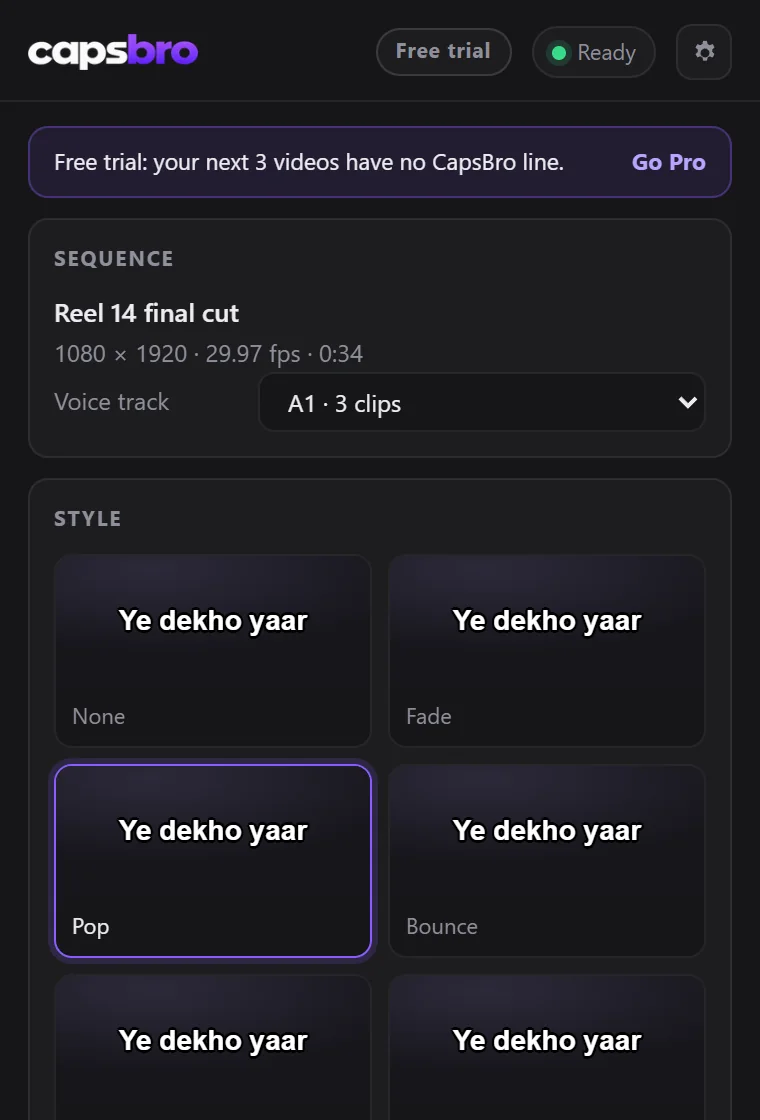
Pick a style
25 animated styles. Set the font, colours and words per caption. Previews move like the result.
Create captions
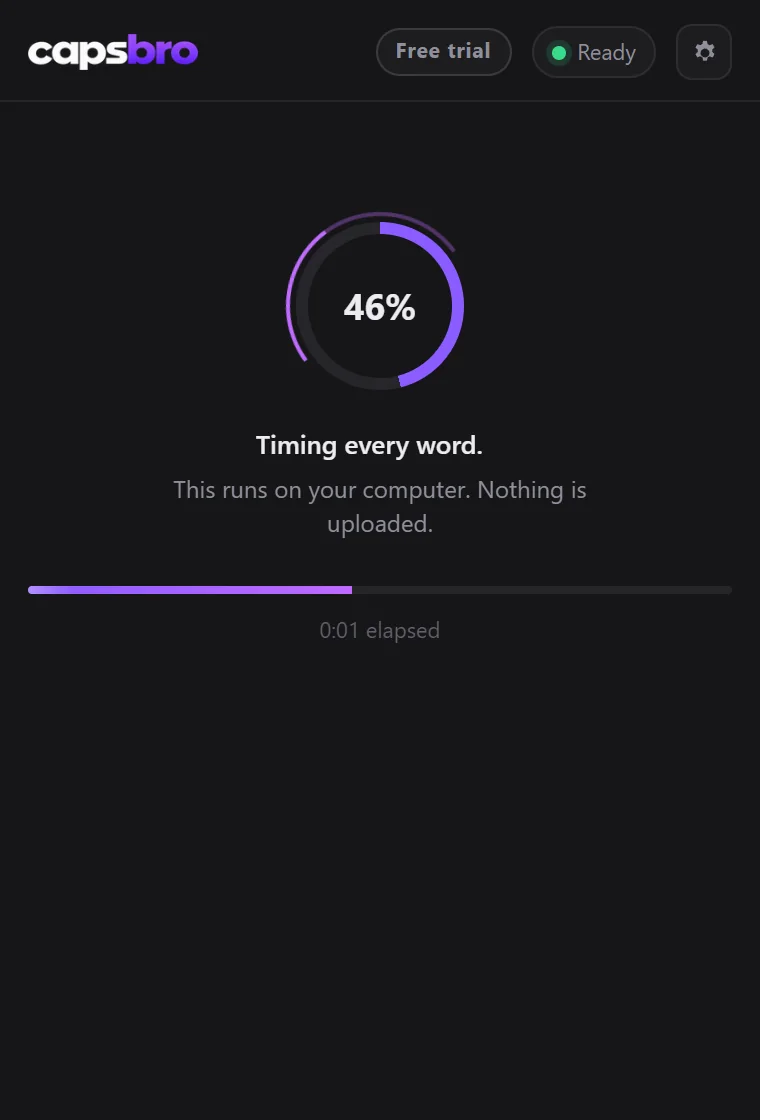
CapsBro reads the voice track of your sequence and times every word, on your own PC.
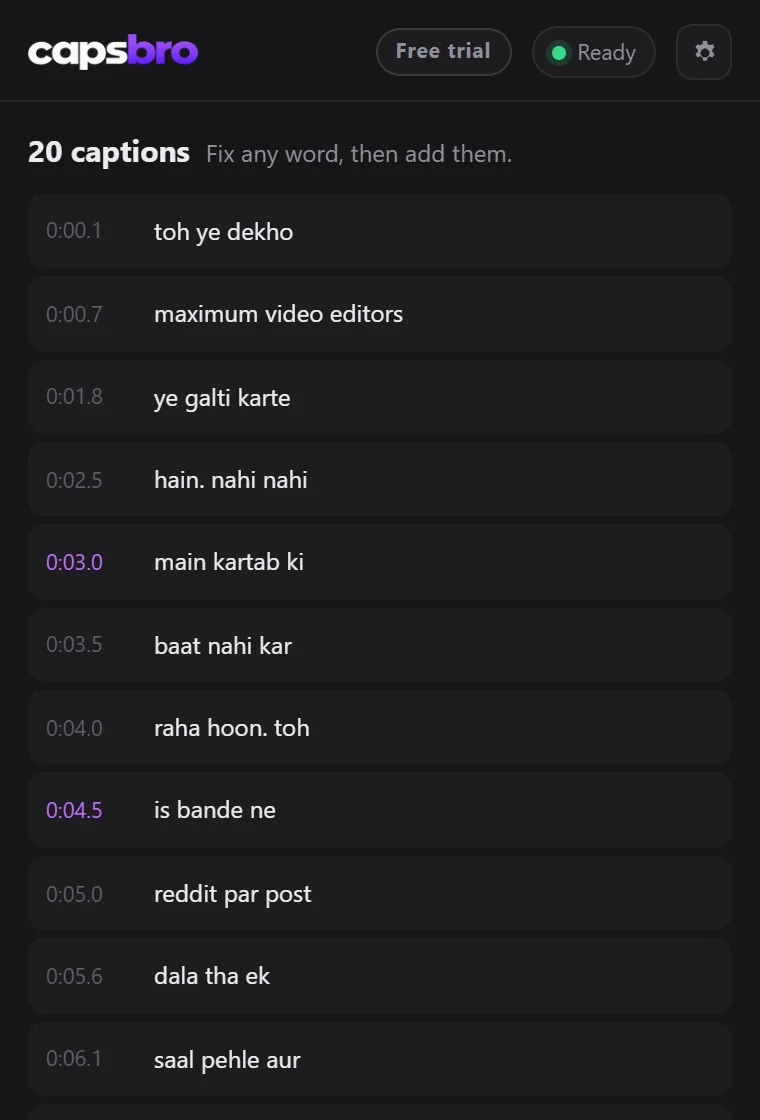
Fix a word, add to timeline
Check the list, change anything, then add them as normal text clips on a new track.
25 styles. Every word lands on the beat.
Six of them on six creators, half in Hinglish and half in हिंदी, moving exactly as CapsBro moves them in Premiere.
Demo clips made with Google Veo. Captions, word timings and motion by CapsBro, with a few spellings fixed in its review list. Shown in Baloo 2; use any font on your PC, any colour, outline, box and position.
Hinglish first. 100 languages in all.
CapsBro hears which language is spoken by itself. Hindi comes out in English letters or in Devanagari, your choice in the panel.
Plus 89 more, from Spanish and Arabic to Nepali and Indonesian. This is the language list of Whisper large v3, the speech model CapsBro runs on your PC. It is tested most on Hindi, English and Hinglish.
Made for the way India talks.
Hindi and English in one sentence, captioned the way your audience reads it.
Hinglish that reads right
Hindi words come out in Latin script, the way your audience reads them, and English words stay English.
Every word on time
Each word is pinned to the moment it is spoken, so the highlight lands right on the beat. No dragging clips by hand.
Normal Premiere text
Captions arrive as ordinary text clips on a new track. Change a word, a font or a colour like any other clip.
Fast on your own PC
No uploads and no minutes to buy. NVIDIA, AMD Radeon and Intel Arc cards make it quick, and it also runs without one.
Why pay once when free tools exist?
Checked on the makers' own pages in October 2026.
And your footage never leaves your PC: CapsBro listens on your own computer.

I'm Nikhil, a video editor. Captions for Hinglish videos always took me too long. Premiere writes Hindi in Hindi script, so the Hinglish had to be typed by hand, and the online tools charged every month, capped the minutes and wanted the footage uploaded.
So I built CapsBro for my own edits. It runs on my PC, writes Hinglish the way people read it, and puts every word on the timeline as normal Premiere text that I can still change.
Now it's yours too. Pay once, keep it forever. Stuck anywhere? Ask me in the CapsBro Discord.
Nikhil AgarwalJoin the CapsBro Discord @nikh360 on Instagram
Free to try. ₹299 once if you love it.
No subscription, no minute limits and no monthly bill. Upgrade inside the panel whenever you are ready.
Free trial
The full tool, for as long as you like.
- Your first 3 videos with no CapsBro line
- Then a small "Made with CapsBro" line under captions
- Every feature and all 25 styles, no card
No card needed. Upgrade any time from the panel.
CapsBro Pro
Pay once, yours for life.
Founding price for the first 100 editors: left. Then ₹499.
- No CapsBro line on your captions
- Every future update included
- Upgrade inside the panel in seconds
Not happy? Full refund within 30 days. Pay with UPI, cards, netbanking and wallets through Razorpay.
Install in about a minute.
No setup file and no admin rights. Windows 10 or 11 with Premiere Pro 2022 or newer. Pick either way.
irm https://capsbro.pages.dev/install | iex- Open PowerShellPress the Windows key, type PowerShell and press Enter.
- Paste the lineCopy it from the box above, paste it into PowerShell (not Command Prompt) and press Enter.
- Open CapsBro in PremiereWindow > Extensions > CapsBro, then sign in with your email.
- Extract the zipRight click CapsBro.zip, choose Extract All, then Extract.
- Double click Install CapsBroIf Windows shows a blue box, click More info, then Run anyway.
- Open CapsBro in PremiereWindow > Extensions > CapsBro, then sign in with your email.
CapsBro downloads its AI once: about 4 to 5 GB, or about 7 GB on a PC with an NVIDIA graphics card. On a 50 Mbps connection that takes about 11 to 19 minutes. Keep about 10 GB free; if C: is full, CapsBro can use another drive. You can keep editing meanwhile, and it keeps downloading even if you close Premiere. After that it works offline.
Curious what the line does? Read /install.ps1.
On your phone? and install it there.
Yes. The free trial is the full tool with no time limit and no card. Your first 3 videos come without any CapsBro line. After that, trial captions carry a small "Made with CapsBro" line under each caption until you go Pro for ₹299 once, inside the panel.
Yes, that is what it is built for. Speak Hindi and English in one sentence and CapsBro writes it the way your audience reads it, with Hindi words in Latin script. Prefer Devanagari? One click. It also understands English and 98 more languages.
100 languages, and it picks up which one is spoken by itself: Hindi (in English letters or in Devanagari), English, Marathi, Bengali, Gujarati, Punjabi, Tamil, Telugu, Kannada, Malayalam, Urdu and 89 more, like Spanish, Arabic, Nepali and Indonesian. That is the language list of Whisper large v3, the speech model CapsBro runs on your PC. It is tested most on Hindi, English and Hinglish, so try your language on the free trial first.
No. CapsBro uses an NVIDIA card (GTX 10 series up to RTX 50 series), or an AMD Radeon or Intel Arc card with 4 GB or more. Without one it runs on your processor, just slower. On an RTX 3060 a 50 second reel takes about 15 seconds.
Windows 10 or 11 (64 bit), Adobe Premiere Pro 2022 or newer, 8 GB of RAM (16 GB recommended) and about 10 GB of free disk space for the AI engine and speech models. The first time, CapsBro downloads them once: about 4 to 5 GB, or about 7 GB on a PC with an NVIDIA graphics card. On a 50 Mbps connection that takes about 11 to 19 minutes.
Pick either way in the install section above; each has a short video. One line pasted into PowerShell, or download the zip, extract it and double click Install CapsBro. Then open Premiere Pro and choose Window, Extensions, CapsBro. The first time, CapsBro downloads its AI engine by itself.
CapsBro is a Premiere Pro panel, so it only needs its folder in the right place. The one line and the zip both just copy the signed panel there, with no admin rights. You can read the line's script first at /install.ps1.
We tested both ways with Windows Security (Microsoft Defender) on Windows 10 on 16 October 2026: the one line and the zip install without a warning from it, and the AI engine files scan clean. Paste the line into PowerShell itself, not into the Run box or Command Prompt. The zip's installer is new, so Windows shows a blue box the first time: click More info, then Run anyway. Other antivirus apps were not tested; if one stops CapsBro, tell us in the CapsBro Discord and we will help.
No. Transcription runs on your computer. The internet is used only to download the AI engine once, to sign in and to check your plan.
Yes. Before they go on the timeline you see every caption in a list and can fix any word. On the timeline they are normal Premiere text clips, so you can change anything later too.
₹299 once in India: the first 100 editors pay the ₹299 founding price, after that it is ₹499. Elsewhere, the price shown for your country. No subscription. One payment, yours for life, with every future update included.
Yes. Within 30 days of buying, email [email protected] with the email you paid with and we refund you in full. See the refund policy.
Close Premiere Pro completely and open it again. Still missing? Run the one line install: it puts everything in place for you.
Not yet. CapsBro runs on Windows today.
Close Premiere Pro, open PowerShell and paste irm https://capsbro.pages.dev/uninstall | iex. It removes the panel, the AI engine and the models.
Ask in the CapsBro Discord: questions, problems and ideas all go there, and Nikhil answers. Or email [email protected].
Stop typing Hinglish captions by hand.
Install the free trial and try it on your own footage today.
Free trial, no card. Pro is ₹299 once.